It’s time for a major infrastructure update here at the TechnoShed. For a long time, a standard Three 5G Mobile Broadband router was the “jack of all trades”—handling Wi-Fi, DHCP, DNS, and routing. While it got the job done, relying on a consumer-grade ISP box for everything is a bit like using a Swiss Army knife to build a house: it works, but it’s not the right tool for a precision job.
We’ve officially decoupled our services to create a more robust, enterprise-grade environment. Here is how the new stack looks and how we rebuilt the MiniRack to house the beast.
The New Network Topology
The goal was to stop the 5G router from doing everything and let dedicated hardware handle specific tasks.
- The Gateway: The Three 5G router has been stripped of its responsibilities and put into Modem Mode. It now acts as a simple bridge to the outside world.
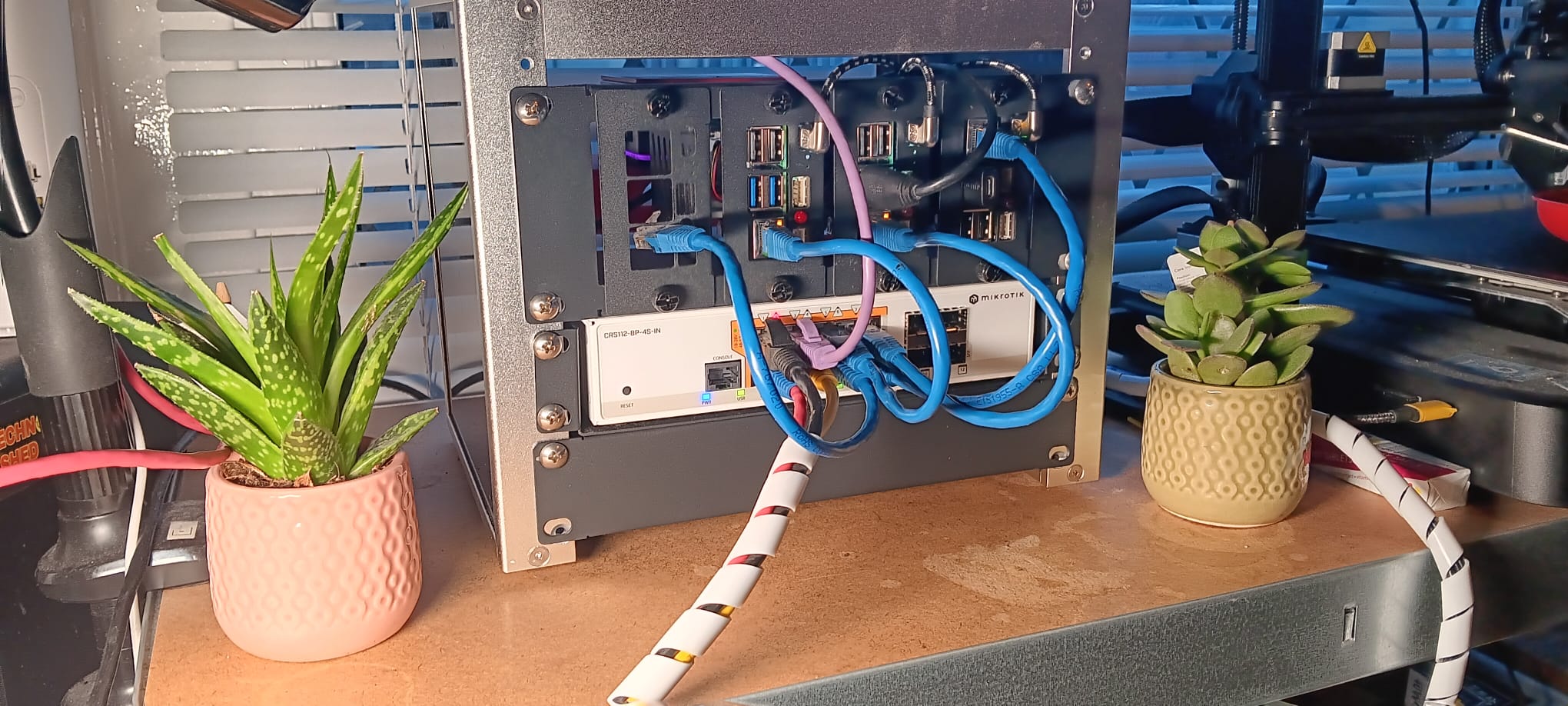
- The Brains (Routing & DHCP): A MikroTik CRS112-8P-4S-IN has taken over the heavy lifting. It now manages our routing, firewall rules, and DHCP.
- The Wireless: We’ve offloaded Wi-Fi to a dedicated Zyxel WiFi 6 Access Point, ensuring better coverage and handling of wireless traffic without taxing the router’s CPU.
- The Filter (DNS): Pi-hole continues to stand guard, acting as our primary DNS to sinkhole ads and trackers before they even reach our devices.
Rebuilding the MiniRack
Upgrading the logic meant we needed to upgrade the physical housing. The old setup was getting cramped and messy with “wall wart” power bricks.
Power Optimization
One of the biggest wins in this rebuild was cable management and power efficiency. We ditched the individual Raspberry Pi power bricks. Instead, we are now using 100W GaN (Gallium Nitride) chargers. These high-density units allow us to power two Raspberry Pis from a single brick, significantly cleaning up the back of the rack.
Note: The MikroTik switch requires its own dedicated power supply to provide PoE+ (Power over Ethernet) to the Zyxel AP and any other PoE-capable devices we add down the line.
The Physical Build
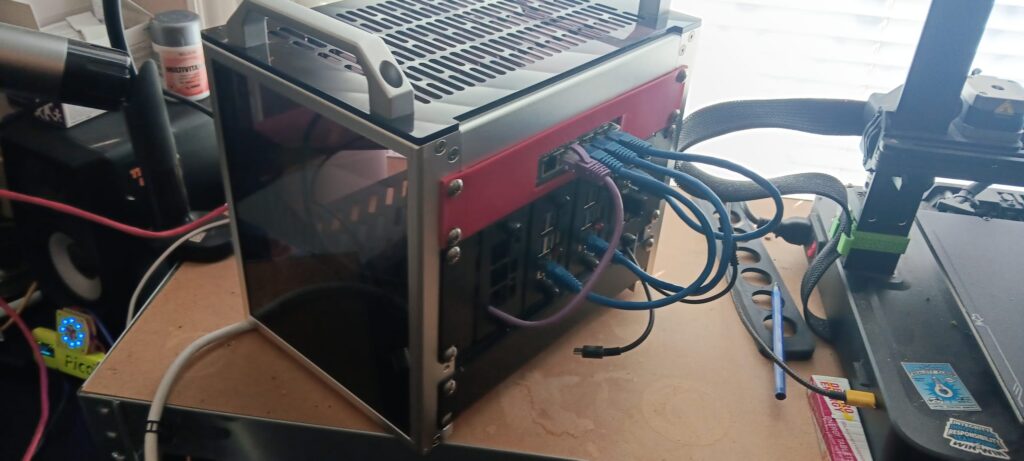
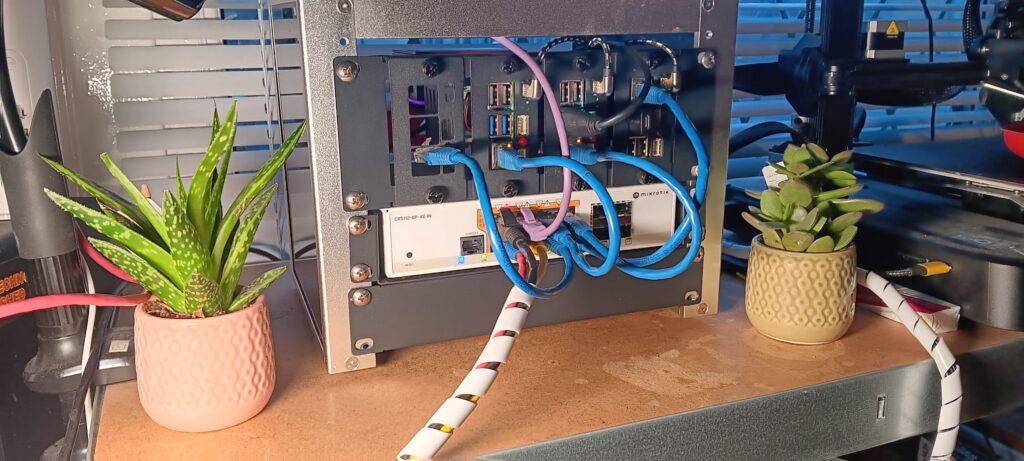
The rack was stripped down and rebuilt to integrate the MikroTik switch directly into the chassis. As you can see in the transition from the old red-faced rack to the new industrial black finish, the integration is much cleaner.
- Front-Facing Ports: The MikroTik is now mounted for easy access to the 8 Gigabit ports.
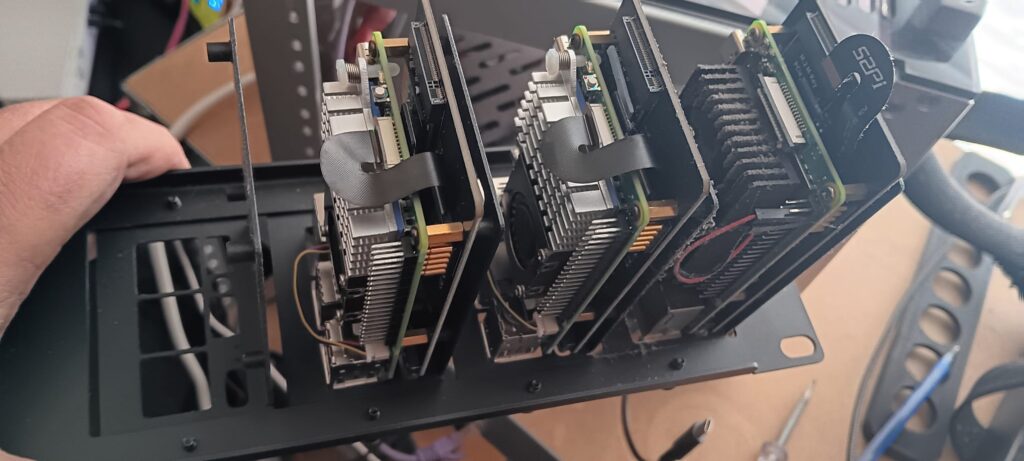
- Modular Pi Trays: The Raspberry Pis (including our Pi 5 with NVMe storage) are mounted on modular trays that slide into the frame, allowing for better airflow between the heatsinks.
- Cable Looming: We’ve used spiral wrapping to consolidate the “umbilical cord” of cables exiting the rack, keeping the desk space tidy.
Why Bother?
By moving to this “Distributed Services” model, the TechnoShed is now much more resilient. If the 5G signal drops or we change ISPs, we just swap the modem—the entire internal network (DHCP, DNS, and Wi-Fi) remains untouched. Plus, having the MikroTik at the core gives us granular control over traffic that consumer routers just can’t match.
The homelab continues to grow. Next up? Fine-tuning the Docker Swarm to take advantage of this new overhead.