Have you ever tried to debug a Bluetooth Low Energy (BLE) device that just… wouldn’t cooperate? Maybe it’s a smart bulb that won’t pair, or a fitness tracker that’s acting strange. Usually, you’d pull out your phone, download a generic scanner app, and squint at a tiny list of UUIDs.
I wanted something better. I wanted a dedicated tool I could leave running, something “headless” that I could access from any browser, and—most importantly—something that wouldn’t crash when it met a stubborn device.
Enter the TechnoShed BLE Prober.
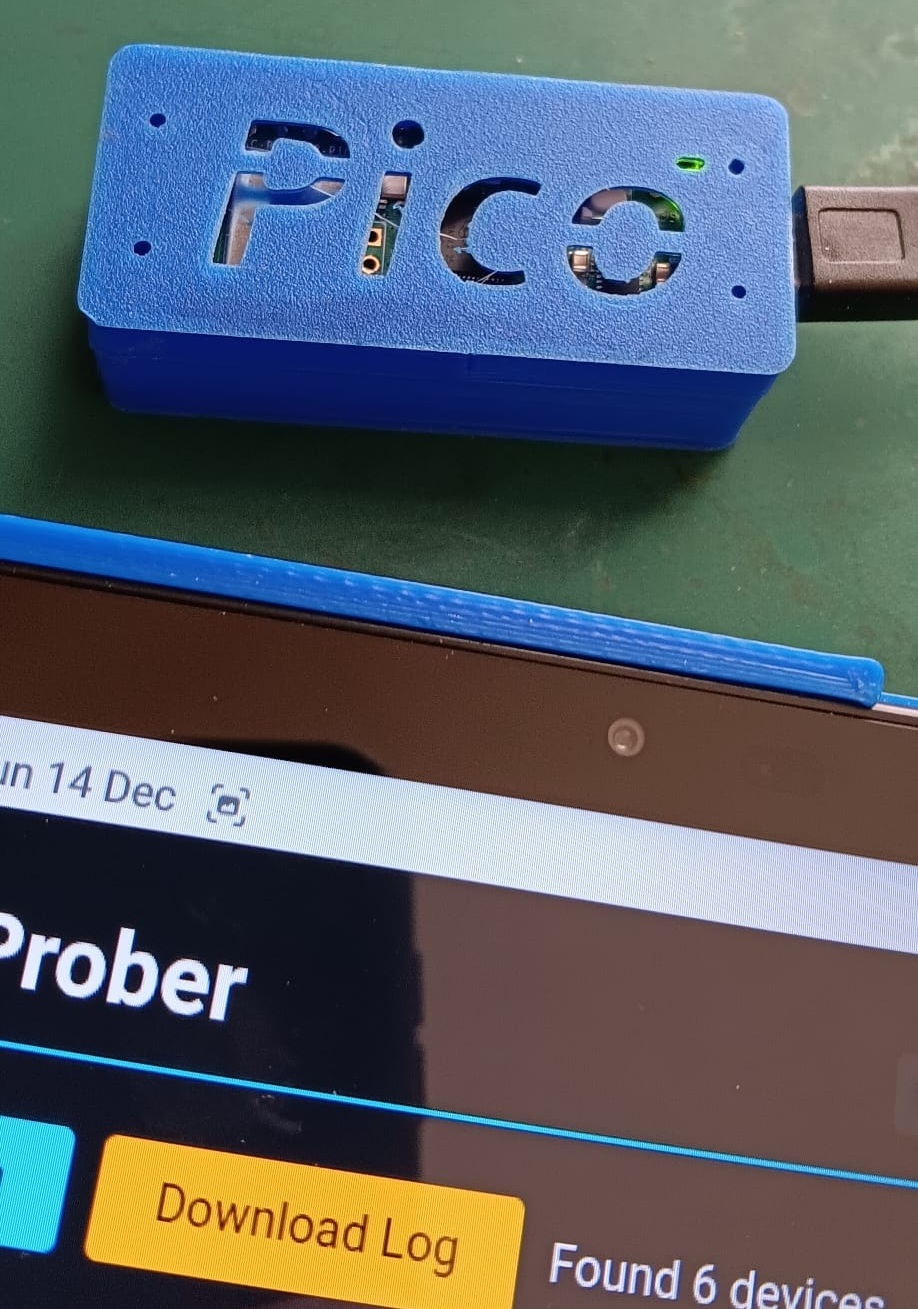
(My 3D printed case keeps the Pico safe while the LED blinks away status codes through the text.)
What is it?
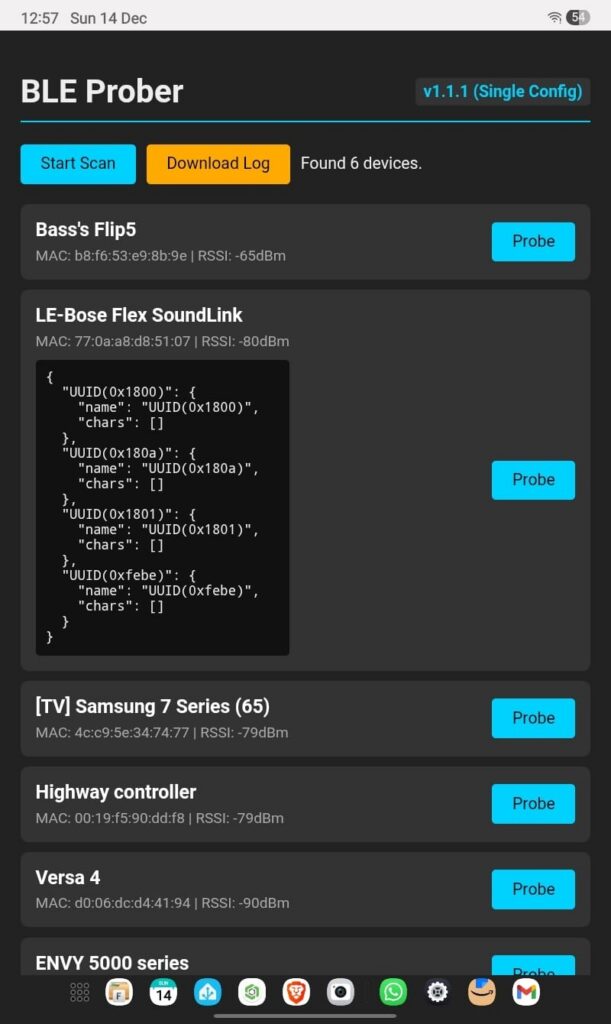
The BLE Prober is a standalone tool running on a Raspberry Pi Pico W. It creates its own Wi-Fi Hotspot (PICO_PROBER), serving up a dark-mode web dashboard where you can:
- Scan for all nearby BLE devices.
- Probe specific targets to interrogate them for their Services and Characteristics.
- Download Logs of everything it finds for deep analysis later.
It’s completely self-contained. No app store downloads, no cloud accounts, just Python running on bare metal.
The Challenge: Zombie Radios
Building a Bluetooth scanner in MicroPython sounds simple on paper: import aioble, run a scan, print the results. But in the real world, radio waves are messy.
During development, I ran into what I call the “Zombie Radio” problem. Some devices (looking at you, older Fitbits and smart speakers) would accept a connection and then immediately ghost the Pico. The Python code would throw a timeout, but the underlying CYW43 radio chip would stay “busy” in the background.
When I tried to connect to the next device, the radio would scream [Errno 107] ENOTCONN and the whole system would freeze.
The Fix
The final version of the code (v1.2.0) implements a robust “Anti-Zombie” logic:
- State Tracking: We explicitly track the radio state.
- Garbage Collection: We aggressively clear RAM (
gc.collect) between probes to prevent memory leaks during long sessions. - Retry Logic: If the radio reports it is busy (Error 107), we don’t crash. We back off, wait for the stack to clear, and retry the connection automatically.
Key Features
- Headless Operation: You don’t need a screen. The onboard LED flashes distinct patterns for Scanning (Fast), Connecting (Medium), and Idle (Slow heartbeat).
- Smart Time Sync: Since the Pico has no battery for its clock, the Web Interface automatically syncs the Pico’s time with your browser the moment you connect. Your logs always have the correct timestamp.
- JSON Sanitization: The backend carefully filters data before sending it to the frontend, preventing crashes when a device returns “weird” or malformed Service UUIDs.
Get the Code
The entire project is open source and hosted on the TechnoShed GitHub. You can grab the code, the wiring diagrams (it’s just a Pico!), and the 3D print files.
👉 GitHub Repository: TechnoShed-dev/ble_prober
I’ve also included a config-example.py so you can easily adapt the Wi-Fi and scanning settings to your own needs without leaking your credentials.
Happy Probing!
Tags: #RaspberryPi #PicoW #MicroPython #BLE #Maker #TechnoShed